
This is an optimised and bug fixed version of nojer at yahoo dot com's rotatedellipse function. I've changed it so that the arguments are compatible with imageellipse. See notes on imagearc for original version.
<?php
function rotatedellipse($im, $cx, $cy, $width, $height, $rotateangle, $colour, $filled=false) {
// modified here from nojer's version
// Rotates from the three o-clock position clockwise with increasing angle.
// Arguments are compatible with imageellipse.
$width=$width/2;
$height=$height/2;
// This affects how coarse the ellipse is drawn.
$step=3;
$cosangle=cos(deg2rad($rotateangle));
$sinangle=sin(deg2rad($rotateangle));
// $px and $py are initialised to values corresponding to $angle=0.
$px=$width * $cosangle;
$py=$width * $sinangle;
for ($angle=$step; $angle<=(180+$step); $angle+=$step) {
$ox = $width * cos(deg2rad($angle));
$oy = $height * sin(deg2rad($angle));
$x = ($ox * $cosangle) - ($oy * $sinangle);
$y = ($ox * $sinangle) + ($oy * $cosangle);
if ($filled) {
triangle($im, $cx, $cy, $cx+$px, $cy+$py, $cx+$x, $cy+$y, $colour);
triangle($im, $cx, $cy, $cx-$px, $cy-$py, $cx-$x, $cy-$y, $colour);
} else {
imageline($im, $cx+$px, $cy+$py, $cx+$x, $cy+$y, $colour);
imageline($im, $cx-$px, $cy-$py, $cx-$x, $cy-$y, $colour);
}
$px=$x;
$py=$y;
}
}
function triangle($im, $x1,$y1, $x2,$y2, $x3,$y3, $colour) {
$coords = array($x1,$y1, $x2,$y2, $x3,$y3);
imagefilledpolygon($im, $coords, 3, $colour);
}
?>
PHP.mk документација
imageellipse
Почист и полокален преглед на PHP референцата, со задржана структура од PHP.net и подобра читливост за примери, секции и белешки.
Патека
function.imageellipse.php
Локална патека за оваа страница.
Извор
php.net/manual/en
Оригиналниот HTML се реупотребува и локално се стилизира.
Режим
Прокси + превод во позадина
Кодовите, табелите и белешките остануваат читливи во истиот тек.
Референца
function.imageellipse.php
imageellipse
Референца за `function.imageellipse.php` со подобрена типографија и навигација.
imageellipse
(PHP 4 >= 4.0.6, PHP 5, PHP 7, PHP 8)
imageellipse — Нацртај елипса
= NULL
imageellipse(
GdImage
int
int
int
int
int
): true
GdImage
$image,int
$center_x,int
$center_y,int
$width,int
$height,int
$color): true
Црта елипса центрирана на наведените координати.
Параметри
-
image А GdImage не применува никакво полнење, така што ширината на сликата мора да биде множител на 8. Ова ограничување веќе не важи од PHP 7.0.9. imagecreatetruecolor().
center_x-
x-координата на центарот.
center_y-
y-координата на центарот.
width-
Ширина на елипсата.
height-
Висина на елипсата.
color-
Бојата на елипсата. Идентификатор на боја создаден со imagecolorallocate().
Вратени вредности
Секогаш враќа true.
Дневник на промени
| Верзија | = NULL |
|---|---|
| 8.0.0 |
image беше вратено при неуспех. GdImage
инстанца сега; претходно, валидна gd resource се очекуваше.
|
Примери
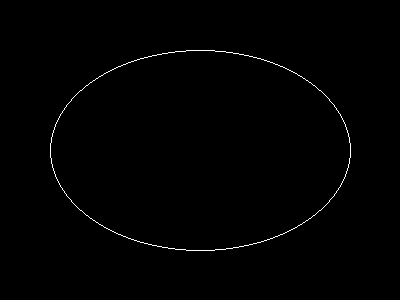
Пример #1 imageellipse() example
<?php

// Create a blank image.
$image = imagecreatetruecolor(400, 300);

// Select the background color.
$bg = imagecolorallocate($image, 0, 0, 0);

// Fill the background with the color selected above.
imagefill($image, 0, 0, $bg);

// Choose a color for the ellipse.
$col_ellipse = imagecolorallocate($image, 255, 255, 255);

// Draw the ellipse.
imageellipse($image, 200, 150, 300, 200, $col_ellipse);

// Output the image.
header("Content-type: image/png");
imagepng($image);

?>
Горниот пример ќе прикаже нешто слично на:
Белешки
Забелешка:
imageellipse() ignores imagesetthickness().
Види Исто така
- imagefilledellipse() - Нацртај исполнета елипса
- imagearc() - Црта лак
Белешки од корисници 3 белешки
simon_nuttall на hotmail точка com 
19 години пред
julian 
21 години пред
if you want to display an ellipse in the upper left corner of an image, you can easily calculate the corresponding cx and cy values. this example will draw an ellipse having the same width and height as the image.

<?php

$ellipse_width = 100;
$ellipse_height = 200;

$ellipse_cx = ($ellipse_width / 2);
$ellipse_cy = ($ellipse_height / 2);

$img_x = $ellipse_width;
$img_y = $ellipse_height;

$img = imagecreate($img_x, $img_y);
$bg = imagecolorallocate($img, 255,255,255);

$ellipse_color = imagecolorallocate($img, 0, 0, 0);

imageellipse($img, $ellipse_cx, $ellipse_cy, $ellipse_width, $ellipse_height, $ellipse_color);

header("Content-type: image/png");
imagepng($img);
imagedestroy($img);

?>
agentyoungsoo at hanmail dot net 
пред 23 години
When you wana use "ImageEllipse" function
in under GD 2.0.2 version, you can use "ImageArc" like bellow

----------------------------------------------------
$file_name = "test.png";

$screen_x = 300;
$screen_y = 200;

$x1 = $screen_x / 2;
$y1 = $screen_y / 2;

$radius = 30;

$image = ImageCreate($screen_x, $screen_y);
$black = ImageColorAllocate($image, 0,0,0);

ImageArc($image, $x1, $y1, $radius , $radius , 0, 360, $black);

ImagePng($image, $file_name);
ImageDestroy($image);
----------------------------------------------------